

Student Verification
Double-Checking Student NetIDs Using the Gradebook Export
If you have students with the same name in your course, exporting your gradebook from Canvas can help you confirm that you’re entering grades for the correct student in Banner.
Steps:
-
Open your course and go to Grades.
-
Click Export in the top-right corner. From the dropdown, choose to export either the entire gradebook or the current view.
Note: If you don’t need the full gradebook, export the Current Gradebook View while the students’ names are visible.
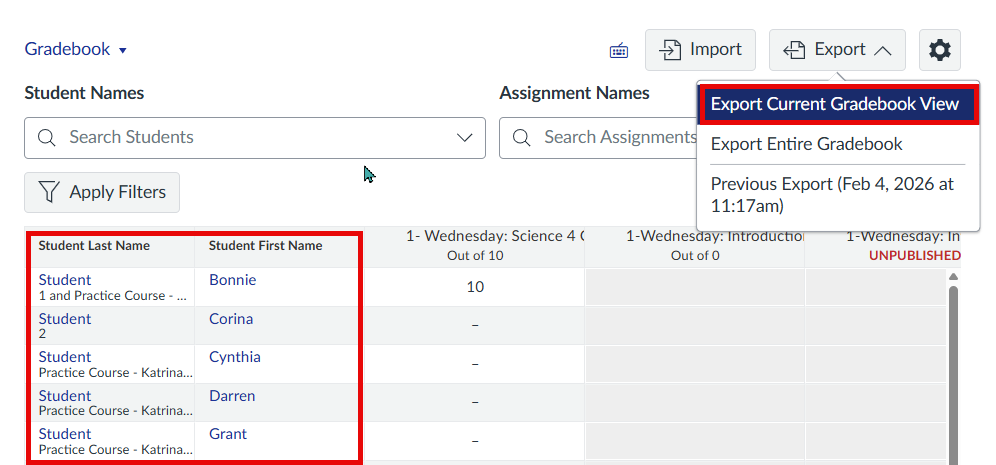
3. Download and open the exported CSV file.
4. In the file, locate the NetID (or SIS Login ID) column next to student names.
5. Use the NetID to verify the correct student by using the MSU lookup tool.
6. This will give you the email of the student.
7. Confirm email in Banner and enter grades accordingly.