

Adobe Creative Cloud
 MSU's Adobe Creative Cloud (CC) license provides access to the entire collection
of Adobe's creative applications for desktop as well as great mobile apps, and includes new features like cloud storage and and sharing.
MSU's Adobe Creative Cloud (CC) license provides access to the entire collection
of Adobe's creative applications for desktop as well as great mobile apps, and includes new features like cloud storage and and sharing.
There is a new process to claim your Adobe license. See below to find out more about this process.
Eligibility
Students
All MSU students (graduate and undergraduates) are licensed for Adobe Creative Cloud. Go to Adobe CC for MSU Students to learn how to access and download.
Faculty/Staff
All MSU faculty and staff are licensed for Adobe Creative Cloud at no cost for academic and University-business use only.. Go to Adobe CC for MSU Faculty and Staff to learn how to access and download.
- Software is for use on MSU-owned devices only
- Software can be downloaded to multiple devices, but logged-in to only 2 devices at a time.
UIT and ATO are excited to announce that all Creative Cloud accounts will be upgraded
to Creative Cloud Pro Edition. In addition to the standard suite of apps*, Pro Edition
provides access to unlimited Adobe Stock downloads.
Over 200 million standard images, vectors and illustrations to use in your Creative
Cloud suite.
*Adobe CC will now include the new Adobe Substance 3D collection, an ecosystem of state-of-the-art 3D tools, including Substance 3D Painter, Designer, Sampler (previously Alchemist), and a new app, Stager.
Note: Substance 3D for higher education doesn’t include access to 3D assets at this time. There are over 1,000 3D free assets available within Stock. These 3D assets might not be optimized for Substance but are compatible.
Adobe Stock Notice: Free Stock images will show a blue oval titled "License" and under License Type it will show "Education License". If you are not seeing this or seeing "Buy" or "Credit" you may need to log out and log back in to Stock. If you logout on the Stock website, when you sign back in make sure to chose "Company or School Account".
New Licence Claim Process
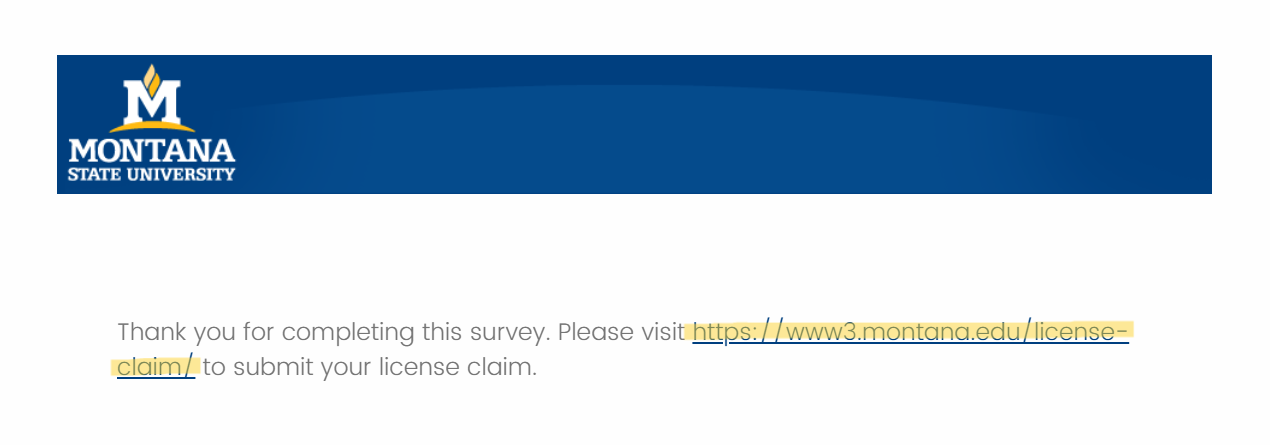
There is a new method of acquiring or renewing an Adobe license. Simply fill out this Adobe usage survey by the Academic Technology team, click the link on the completion screen, and then you will then be directed to a web page where you can reclaim or acquire your license. Your answers to this survey do not affect your acquisition or eligibility for a license. This license will last for one year.
Make sure that once you’ve completed the survey, you still click the link to continue on to the claim page:
Download & Installation Instructions
The information below pertains to faculty and staff. Students: use link above.
Adobe Creative Cloud software is downloaded to your device directly from Adobe, unlike in the past at MSU where it was downloaded from a server on campus or a disc. Before installing please note the following:
- If you currently have Adobe CC (2014) on your computer you do not need to remove programs before upgrading.
- If you have Adobe CS on your computer you can choose to uninstall but it is not required. Any version of Adobe CS and CC can run side-by-side. To avoid confusion though, we recommend uninstalling.
Please NOTE: To download Adobe CC software you start by downloading the Adobe Creative Cloud app.
This app then allows you to install and/or update and manage other Adobe CC software.
The instructions below walk you through the process.
KNOWN ISSUES: Some minor installation issues were encountered as UIT was testing the new Adobe
CC software and installation process. Please refer to our Adobe CC Known Issues page for some solutions should you encounter trouble during installation. For additional
assistance please contact the UIT Service Desk.
Find Installation and Download instructions on the Adobe Creative Cloud for Faculty and Staff web page or the Adobe Creative Cloud for Students web page.
Training
Adobe Creative Cloud
- ATO Training and Support
- Skillsets Online - available for free by requesting an account
- Adobe Education Exchange - on-demand workshops, teaching resources, courses and more for faculty
- Adobe Creative Cloud HelpX - user guides and tutorials